背景
随着基础模型能力的提升,市面上AI Computer Use的方案已经出现了很多,比较熟悉的有Anthropic的computer-use方案。那有没有一款确实好用又低成本的AI自动化操作解决方案呢? Browser Use这个开源项目,经过笔者的测试,确实属于易上手,低成本的开源解决方案。
Browser Use 是一个基于 Python 开发的开源库,它将先进的 AI 技术与浏览器自动化功能深度融合。通过集成Playwright等浏览器自动化工具,Browser Use允许开发者使用任何支持LangChain的大型语言模型(如GPT-4、Claude等)来自动化浏览网页、提取信息、模拟用户操作等。
功能特点
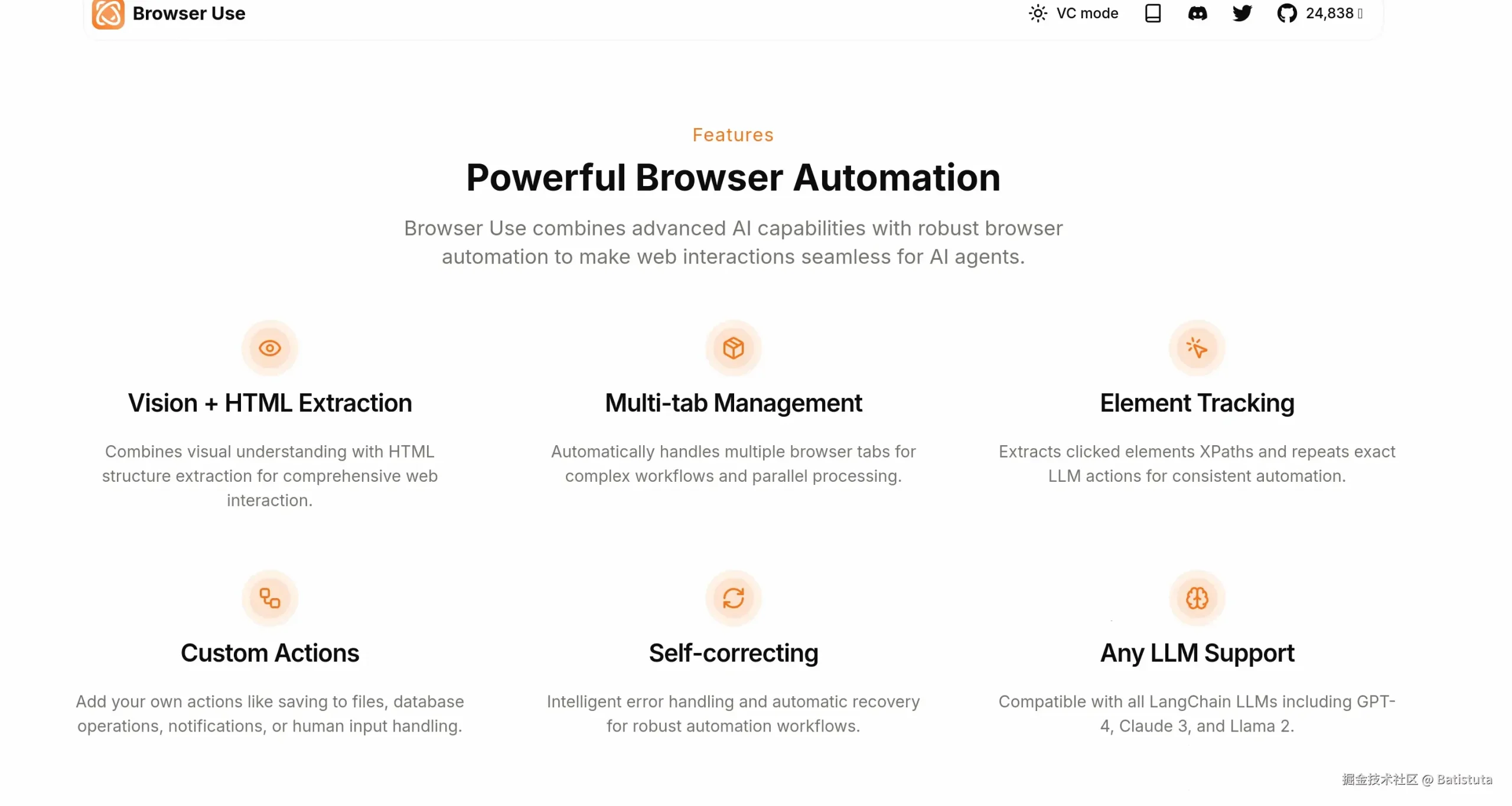
- 网页浏览与操作:AI 代理能像人类用户一样浏览网页和执行操作。
- 多标签页管理:支持同时管理多个浏览器标签页,提高任务处理效率。
- 视觉识别与内容提取:识别网页视觉元素并提取 HTML 内容。
- 操作记录与重复执行:记录 AI 在浏览器中执行的操作,并能重复这些操作。
- 自定义动作支持:支持开发者定义和执行自定义动作,例如保存数据到文件或推送到数据库。
- 主流 LLM 模型支持:兼容多种大型语言模型(LLM),如 GPT-4、Claude、Llama 等。
技术原理
- 集成 LLM 模型:集成大型语言模型(LLM)理解和执行复杂的网页任务。
- 浏览器自动化:用自动化工具如 Playwright,模拟人类用户的浏览器操作。
- 异步编程:支持异步编程,让 AI 代理能非阻塞地执行网络请求和浏览器操作。
- 自定义动作注册:支持开发者用装饰器或 Pydantic 模型注册自定义动作,扩展 AI 代理的功能。
- 上下文管理:基于浏览器上下文(Browser Context)管理不同代理的独立会话,保持状态隔离。
- XPath 和元素定位:用 XPath 和其他方法定位网页元素,实现精确的网页交互。
准确性测试
Browser Use 在 WebVoyager 基准测试中取得了一流的性能,在 586 个不同的 Web 任务中取得了令人印象深刻的89.1% 的成功率。 介绍了这么多,那就开始动手测试一番吧
代码运行
首先通过Pycharm建立一个python项目
安装依赖
pip install browser-use
playwright install
编写代码
from langchain_openai import ChatOpenAI
from browser_use import Agent, Browser, BrowserConfig
import asyncio
from dotenv import load_dotenv
from llm_config import Base_url,Api_key

load_dotenv()

#初始化browser变量,设置headless=False来管看浏览器操作过程
browser = Browser(
config=BrowserConfig(
headless=False,
        disable_security=True
    )
)
#初始化Agent变量,本次使用gpt-4o-mini模型,设置好api访问的URL,APIKEY即可
#deepseek测试会报错,可能是idealab刚刚适配,还是我使用姿势不对,设置了use_vision=false也是无效的
async def main():
    agent = Agent(
        task="访问https://www.baidu.com/,搜索内容为“Batistuta site:juejin.cn”,并访问第一篇文章,将文章内容概要列出来.",
        llm=ChatOpenAI(model='gpt-4o-mini-0718',
                       base_url=Base_url,
                       api_key=Api_key),
    )
    result = await agent.run()
    print(result)

asyncio.run(main())
Browser Use-Web
当然,Browser Use也有Web UI,有兴趣的小伙伴可以测试一下,我就不具体介绍了 github.com/browser-use… 核心代码如下
git clone https://github.com/browser-use/web-ui.git
cd web-ui
uv pip install -r requirements.txt
playwright install
copy .env.example .env
python webui.py --ip 127.0.0.1 --port 7788
运行python webui.py –ip 127.0.0.1 –port 7788 后终端会显示,点击http://127.0.0.1:7788/后即可访问

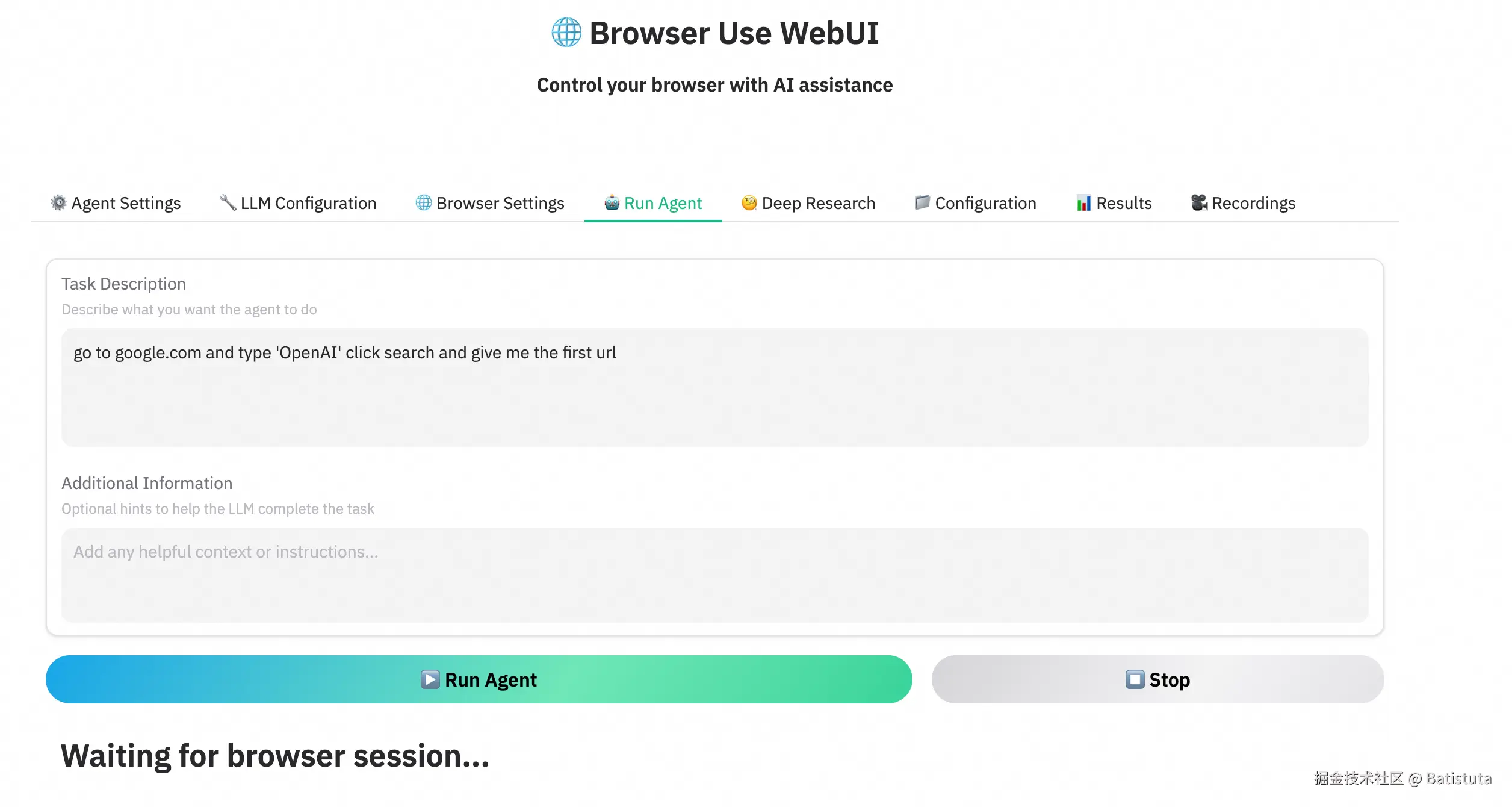
运行过程
运行结果
[agent] 📄 Result: The article titled '5分钟手把手系列(七):MAC本地微调大模型(MLX + Qwen2.5)' primarily discusses the process of fine-tuning large models on a Mac using Apple's MLX framework. Key highlights from the article include:

- **Background**: The explosion of models available on platforms like Hugging Face, exceeding one million, necessitates efficient fine-tuning methods.
- **MLX Framework**: Developed by Apple specifically for Apple Silicon chips, designed for user-friendly training and inference of machine learning models.
- **Fine-tuning Steps**: Detailed steps include model downloading, dataset preparation, defining training parameters, and merging models.
- **Performance Verification**: The article emphasizes the speed and efficiency of the fine-tuning process, noting successful training outcomes with minimal resource usage.

Overall, this resource is beneficial for understanding the micro-level processes involved in model fine-tuning, although local fine-tuning frameworks may not be suitable for production projects.
INFO     [agent] ✅ Task completed successfully
INFO     [agent] Created GIF at agent_history.gif
总结
从运行结果来看,很好完成了task中所描述的任务,访问了百度页面,进行了内容搜索,并准确识别了第一篇文章,打开后完成了对文章的总结,整体方案的上下限基本受限于基础模型的能力。通过此方案,可以很好的在一些需要网页操作的垂类场景落地,如人才招聘筛选、网页信息摘取等等。希望对有类似AI应用场景的同学有所帮助与启发。